
 EN
EN  English
 中文简体
中文简体 عربى
عربى Tiếng Việt
Content
In the hot summer, evaporative air coolers (commonly known as eco-friendly air conditioners or water-cooled fans) have become the preferred cooling equipment for many industrial plants, commercial spaces, and homes due to their energy-saving, low-carbon, and good ventilation advantages. However, many users find that after the equipment has been running for a period of time, the airflow seems less strong than when it was first installed.
So, what could be causing a decrease in the airflow from an evaporative air cooler?
1. Dust Accumulation and Clogged Filter and Evaporative Air Pad
This is the most common cause of reduced airflow. Evaporative air coolers work by drawing in outdoor air and passing it through the evaporative air pad.
Symptom: The machine operates normally, but the perceived airflow is noticeably reduced.
Analysis: In environments with poor air quality or high dust levels, the evaporative air pad and dust filter easily accumulate large amounts of dust, catkins, or scale. This greatly increases the resistance to air circulation, leading to a reduction in airflow.
Countermeasures:
- Regular Deep Cleaning of the Evaporative Air Cooler: Regularly deep clean the evaporative cooling pads and check if the dust filter needs replacement.
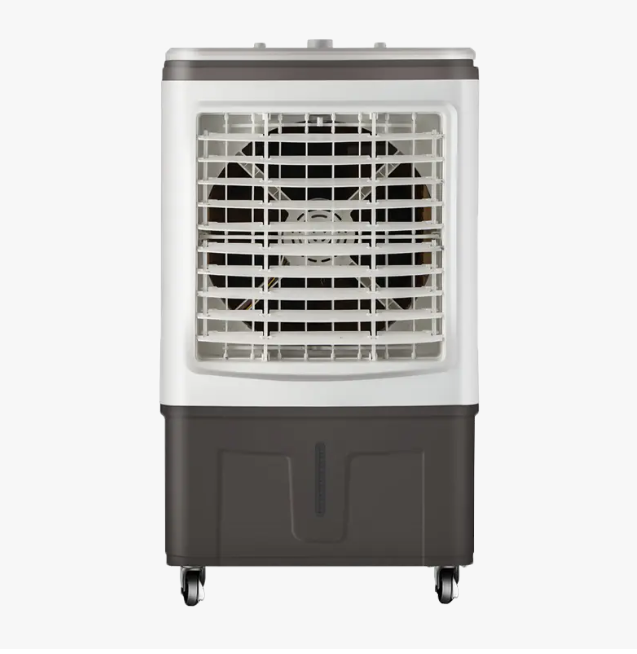
2. Motor Failure or Capacitor Aging
The motor is the power source of the evaporative air cooler.
Symptoms: The fan speed is significantly slower, or it starts slowly.
Analysis: Long-term high-load operation may reduce the capacity of the motor capacitor, or insufficient lubrication of the motor bearings may increase friction. For industrial equipment, check for any missing phase in the three-phase power supply.
Solutions: Contact the manufacturer's technicians to check the motor capacitor. Replace the motor bearings or add lubricating oil if necessary.
3. Loose or Worn Drive Belt (For High-Volume Industrial Models)
Many high-power industrial evaporative air coolers use a belt drive.
Symptoms: The motor is very noisy, but the fan blade speed is insufficient.
Analysis: Under long-term high-temperature operation, the belt will undergo physical stretching, causing it to loosen and slip. Once the belt slips, the power generated by the motor cannot be fully transmitted to the fan blades.
Countermeasures:
- Adjust the motor base bolts to tighten the belt. If the belt is cracked or severely worn, replace it immediately.
4. Fan Blade Angle Misalignment or Accumulation of Dirt
Analysis: Thick layers of oil or dust on the fan blades will alter their dynamic balance and aerodynamic characteristics. Furthermore, loose fan blade mounting screws causing angle misalignment will directly affect propulsion efficiency.
Countermeasures: Clean the deposits from the fan blade surface and tighten the fan hub to ensure the blade angle meets design standards.
5. Unstable Voltage or Control System Malfunction
Analysis: When the input voltage is lower than the rated voltage, the motor torque will decrease significantly. Additionally, incorrect inverter parameter settings may limit the maximum operating frequency of the evaporative air cooler.
Countermeasures: Check the power supply line voltage and confirm that the inverter settings are within the normal output range.
Maintaining efficient operation of the evaporative air coolers hinges on frequent observation and thorough maintenance. Reduced airflow not only decreases cooling efficiency but can also lead to motor overheating and shorten equipment lifespan. We recommend that companies establish a regular equipment inspection system to ensure the evaporative cooling pads are clean and the transmission is efficient.
As a professional manufacturer of evaporative air coolers, we suggest you perform a comprehensive cleaning every quarter. If you are still unable to resolve the airflow issue after troubleshooting, please feel free to contact our technical support team.

 CONTACT US